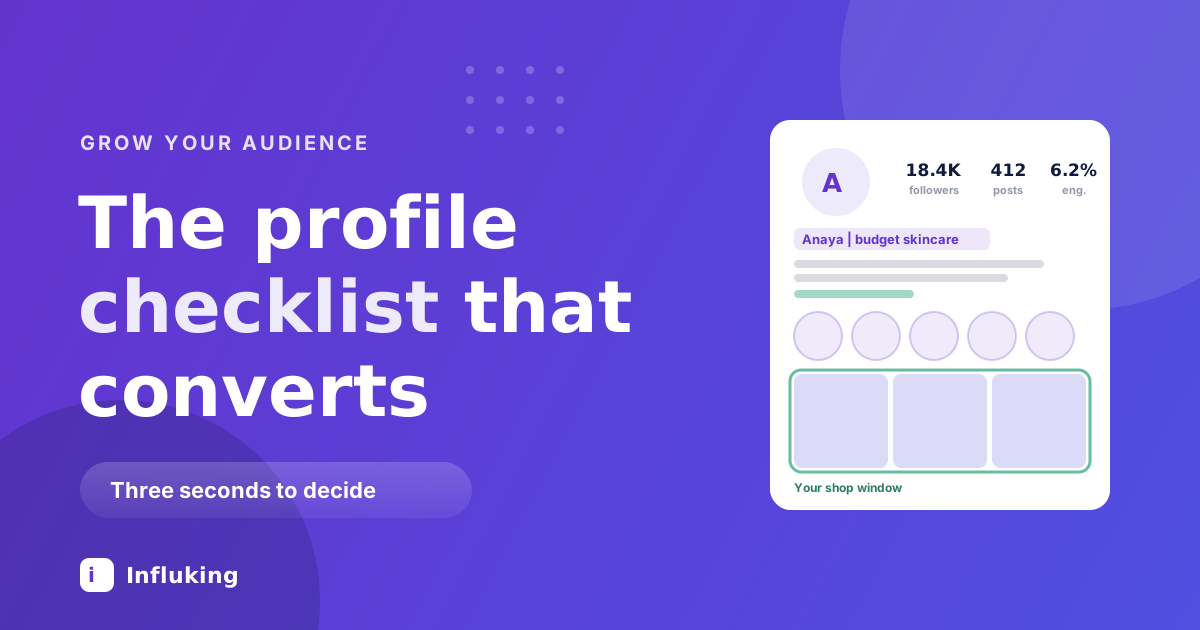
Your profile is the only page on Instagram that every interested stranger visits. They watch a Reel, they tap your name, and in about three seconds they decide whether following you is worth it. Most creators spend hours on the Reel and have never once looked at that page as a stranger would.
This is a checklist. Work through it once, properly, and every post you make afterwards converts better.
The question the profile has to answer
Not "who are you" but "will this account give me more of what I just enjoyed?" Everything below serves that one question. If an element does not help answer it, it is decoration.
Profile photo
- Your face, clearly visible, shot from the shoulders up. Faces outperform logos for personal accounts, and a full body shot becomes an unrecognisable speck at profile size.
- Bright, simple background. Busy photos turn to mush in a 40 pixel circle.
- Same photo across every platform, so people recognise you when they find you elsewhere.
- Check it at actual size. Preview it in the app, not on your laptop.
Name field
The single most under-used field on Instagram. It sits above your bio, it is searchable, and most people fill it with the name their parents gave them.
- Put your name plus your topic: "Anaya | budget skincare".
- Use the words your audience would actually type, not industry terms.
- You have around 30 characters, so no room for a slogan.
The searchability side of this is covered in our Instagram SEO guide, which goes deeper on which fields the platform indexes.
Username
- Short, spellable, sayable out loud. If people cannot type it after hearing it, it is costing you.
- Avoid stacked underscores and numbers, which read as spam and are hard to remember.
- Keep it consistent with your other platforms where possible.
- If you already have an established handle, do not change it for keywords. Broken links and lost recognition cost more than the small gain.
Bio
You have 150 characters to convince someone. Structure beats cleverness.
- Line one: who you help and with what. "Honest reviews of skincare under ₹800" tells a stranger everything.
- Line two: proof or specificity. A credential, a result, a location, a posting rhythm. "Dermat-checked picks. New Reel every Tuesday."
- Line three: what to do next. One clear action pointing at your link or your highlights.
- Use line breaks so it scans. A wall of text with no spacing gets skipped.
- Emojis as bullets are fine. Emojis instead of words are not.
- Cut the inspirational quote. It tells people nothing about whether to follow you.
Link
- Instagram allows multiple links now, so use them rather than defaulting to a third-party page nobody clicks past.
- Point at the thing you actually want people to do. One primary destination beats a list of twelve.
- Label them clearly. "Latest video" and "Work with me" beat a raw URL.
- Check them on a phone every month. Dead links sit there for years.
Account type and category
- Use a professional account, either creator or business. Insights alone justify it, and private accounts cannot be recommended or found in search at all.
- Pick an accurate category. It appears under your name and feeds how Instagram classifies you.
- Turn on the contact button so brands can email you without a DM.
- If you sell locally, add the address and the relevant action button.
Story highlights
Highlights are the part of the profile most people set up once in 2021 and never touch again. They are effectively your menu.
- Five to seven, no more. Anything past the first row on a phone is rarely opened.
- Order them by what a new visitor needs: start, best work, reviews or results, about you, how to work with you.
- Name them in one or two words that fit without truncating.
- Use consistent covers, either plain colours or simple icons in your palette. Mismatched screenshots make a profile look abandoned.
- Keep them current. A highlight full of two-year-old stories is worse than no highlight.
Pinned posts and the first row
You can pin three posts, and they occupy the most valuable space you own. Treat them as an answer to "what is this account".
- Pin one: your best-performing content, because it is proven to appeal.
- Pin two: something that explains who you are or what you offer.
- Pin three: your current priority, whether that is a series, a launch or your work-with-me post.
- Review the pins monthly, since what represents you changes.
Beyond the pins, glance at the first two rows as a stranger. If a visitor arrived from a Reel about skincare and the grid shows a wedding, a sunset and a gym selfie, they will not follow. That is a topic consistency problem as much as a profile one, which is what choosing a niche deals with.
Grid presentation
- Consistent caption font and colour treatment across covers, so the grid reads as one body of work.
- Set custom Reel covers with legible text. Auto-selected frames are usually a blurry mid-blink moment.
- Keep cover text in the centre of the frame, since the grid crops Reel thumbnails.
- Do not chase elaborate grid patterns. Nobody scrolls a grid looking for art direction, they scan it for relevance.
The three second test
Once you have done the above, run this. Open your profile on someone else's phone, look at it for three seconds, then look away and answer: what does this account post about, who is it for, and why should I follow rather than just watch?
If you cannot answer all three, the profile is not finished. Ask two people outside your niche to do the same test, because you are too close to it.
Measure whether it worked
The number to watch is follows divided by reach on each post. Establish your current rate, make these changes, then compare over the next month across a similar set of posts.
Also check profile visits against follows in your Insights. Plenty of visits with few follows means people are arriving and deciding against you, which is a profile problem rather than a content one. This is the same leak that stalls accounts described in our post on getting to 10,000 followers.
Mistakes worth fixing today
- Name field set to your name only. The most common and most expensive one on this list.
- A bio of quotes and emojis. Charming, and it converts nobody.
- Private account while trying to grow. Nothing private is recommendable or searchable.
- Twelve highlights in mismatched covers. Reads as clutter, gets ignored.
- No pinned posts. You are letting chronology decide your first impression.
- Auto-generated Reel covers. Free to fix, visible immediately.
- No contact button. Brands should not have to hunt for a way to pay you.
How often to redo this
Full audit twice a year, pins and highlights monthly, links whenever you change anything. It is an hour of work that raises the return on every post you make for the next six months.
When the profile converts and the audience is real, the next step is turning it into income. Our media kit template covers presenting those numbers to brands, and Influking matches creators with brands running campaigns in their category.